Dashboard: Dashboard · method: _RESEARCH-METHOD · market grid: _MARKET-PROBLEM-MAP · opportunity lens: _OPPORTUNITY-LENS · landscape: _LANDSCAPE-SYNTHESIS
Purpose: decide what BuildPass means for our plan. It is the single most important “what is already built versus what we would build” reference in the set — the only field-capture tool we found that already ships agentic-AI plumbing (an MCP server into Claude) and is openly climbing up-funnel toward the commercial side. This brief explains what BuildPass is and how it works, then maps exactly how far its AI reaches and where it stops, and finally judges whether it is a template that validates our motion or a competitor already sitting in our wedge. Evidence (vendor product/pricing/AI pages, funding press, third-party reviews, App Store data, four walkthrough videos) is at the end. Reception is thin and early-stage; the credibility caveat leads the user section.
Snapshot
| What it is | All-in-one construction site-operations platform: a free worker mobile app (sign-on, inductions, ticket/cert wallet, tasks) feeding a web admin that runs safety, compliance, site diaries, drawings, RFIs, submittals, scheduling, QA and plant tracking |
| Core job it does | Replaces paper safety/compliance and site-diary admin; gets every worker and subcontractor signed on, inducted and documented, then gives the office one system of record for the site |
| Who buys | Builders and head contractors, sole-trader to large commercial; sweet spot ~5-50 staff running multiple sites; ~400 companies, Australia/New Zealand origin, now pushing into the US |
| Business model | Subscription on admin seats only (workers and subcontractors free); AU pricing published (~A$175-299/mo small teams, up to ~A$1,000+/mo); US site hides price behind book-a-demo |
| Openness | Named connectors (Procore, Buildxact, Premier, Adaptive) + a shipped MCP server (“use BuildPass from Claude”); no public REST API / developer docs surfaced (not verified) |
| Funding | A$7.5M seed (2024), led by Carthona Capital; backers include Leigh Jasper (sold Aconex for A$1.6bn) and Tom Preston-Werner (GitHub) — capital earmarked for AI and US entry |
| Public ratings | App Store 0 ratings (US), 1 rating (AU app); Capterra AU ~4.7 from ~9-45 reviews — very thin, early-stage |
| Strongest areas | Safety/compliance, field/daily, QA/snagging, RFI/submittal/drawings |
| Weakest areas (our interest) | Change/variations/claims/entitlement; cost management; cross-firm historical cost — empty |
| Our verdict | The closest analog to our own motion; it validates the up-funnel thesis but stops well before claim quantification. Watch it; do not rebuild it; flank into the money it does not reach, in a geography it barely serves |
Where BuildPass plays across the market
Scored 0 (not addressed) to 100 (best-in-class) against the 21 areas in _MARKET-PROBLEM-MAP, sorted by coverage.
| Problem area | Coverage | Note |
|---|---|---|
| Field management / daily reporting | 80 | Site diary is a core module; AI one-click diary entry from the day’s activity |
| Safety and compliance | 80 | The deepest area: AI-generated SWMS/JSAs, inductions, sign-ons, permits, SDS, toolbox, certs, geofencing — AU WHS heritage |
| Quality / QA-QC / snagging | 60 | Punch lists (AI voice defects), ITPs, quality inspections |
| RFIs / submittals / document control | 55 | RFIs, submittals (AI import grouped by trade), drawings with revisions and change summaries |
| Project management (system of record) | 50 | Many modules under one roof; a real site SoR, but not a Procore-class commercial platform |
| Communication / client collaboration | 50 | Messaging, client portal, address book |
| Scheduling / programme | 45 | Real Gantt with task dependencies and critical path |
| Equipment / asset / material | 40 | Plant & equipment tracking, asset logs linked to inductions/inspections |
| Time, labour and workforce | 30 | Worker sign-on and geofenced attendance; no real timesheet-to-payroll engine |
| Insurance and risk | 30 | Insurance, certification and permit tracking with expiry verification |
| Progress / production tracking | 25 | Activity is logged; little actual-vs-plan production measurement |
| Prequalification / procurement | 25 | A real prequalifications module for subcontractor vetting |
| Cost management / forecasting | 15 | ”BuildPass Finance” announced, not shipped; today cost lives in the finance-ERP connectors |
| O&M / handover | 15 | Documentation accumulates; no dedicated handover/golden-thread product |
| Change / variations / claims / entitlement | 10 | Drawing change summaries and RFIs touch the edge; no variation register, no claim, no recovery |
| Accounting / AP-AR / payroll | 5 | Pushes to Premier / Adaptive / Buildxact; not a ledger |
| Bid / tender management | 0 | Not addressed |
| Estimating / takeoff | 0 | Not addressed (Buildxact integration only) |
| BIM / design coordination | 0 | Not addressed |
| Reality capture / drone | 0 | Not addressed |
| Historical cost / benchmarking | 0 | No product, no cross-firm data loop |
Takeaway: broad and shallow across the field/site layer, deepest in safety and compliance (its origin), competent in QA, RFIs/submittals, drawings and scheduling. It is wider than a pure daily-log tool — closer to a light Procore for the site — but the commercial and money columns (cost, change/claims, accounting, historical cost) are exactly where it thins out and stops. Those are the columns central to our thesis, and BuildPass does not occupy them.
The input side — how work gets captured
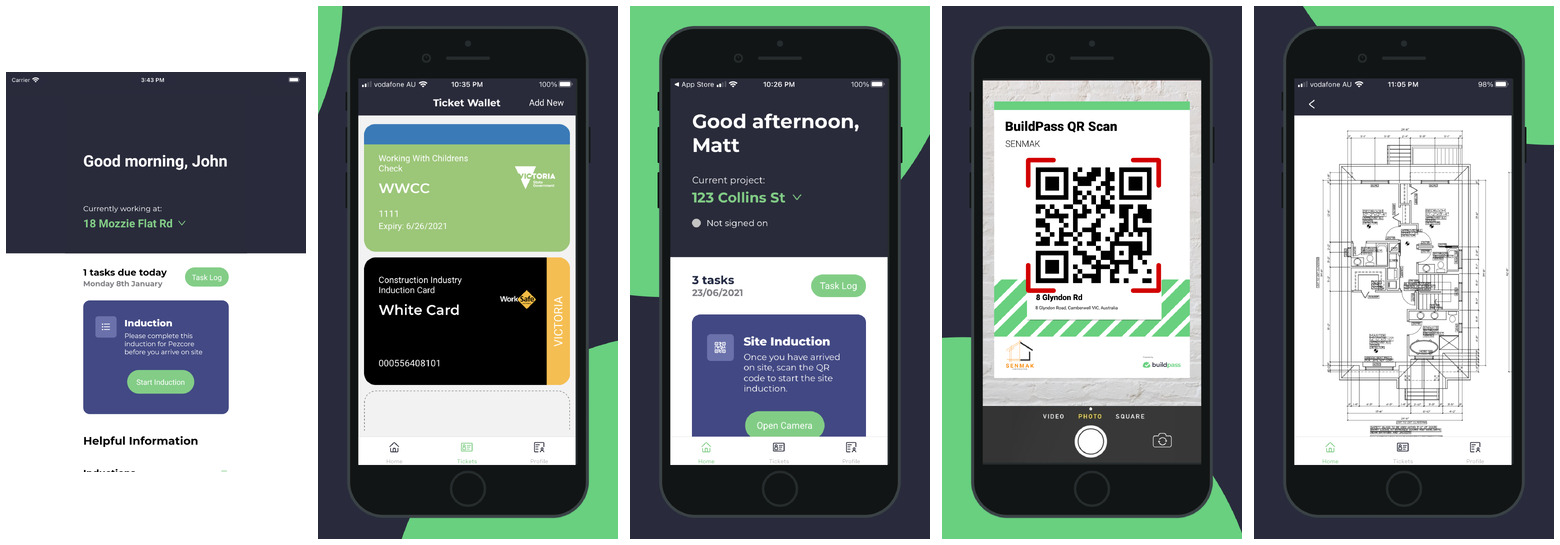
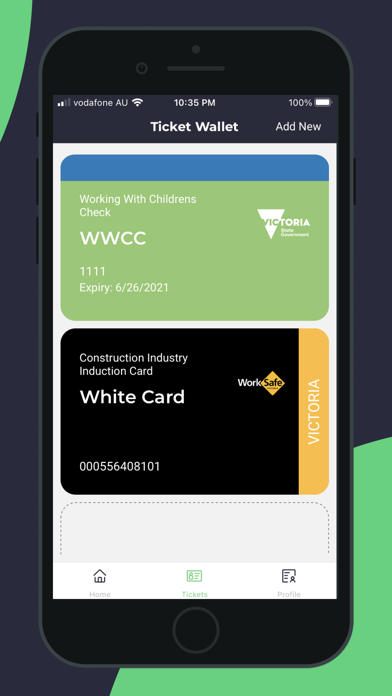
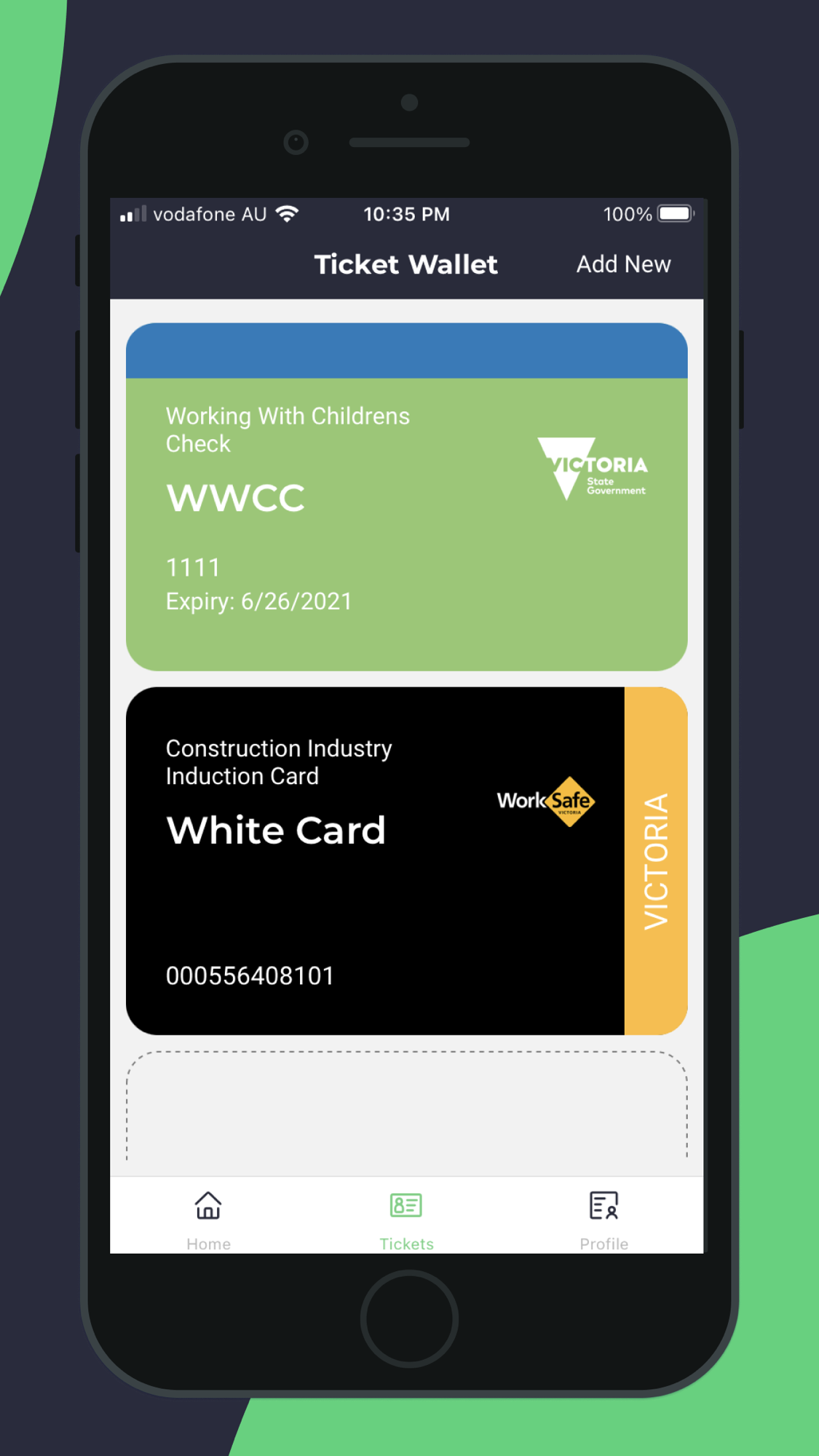
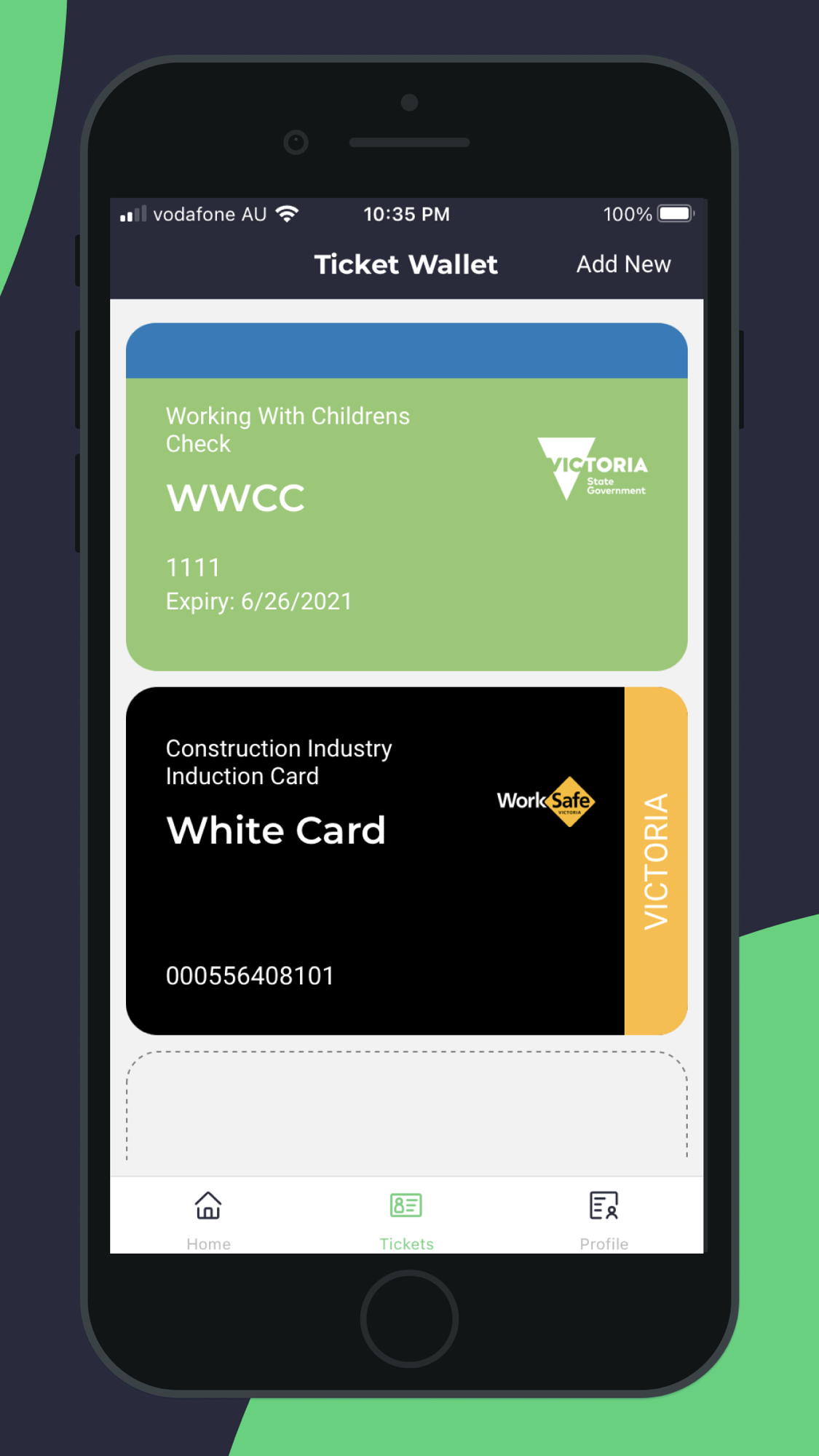
- Captured: site diaries (daily logs), safety sign-ons and inductions, JSAs/SWMS, incidents and safety inspections, toolbox meetings, permits and SDS, worker tickets/certifications (a phone “ticket wallet” holding e.g. the AU White Card / WWCC), photos, punch-list/defect items, quality inspections/ITPs, RFIs, submittals, drawing markups, plant/equipment logs.
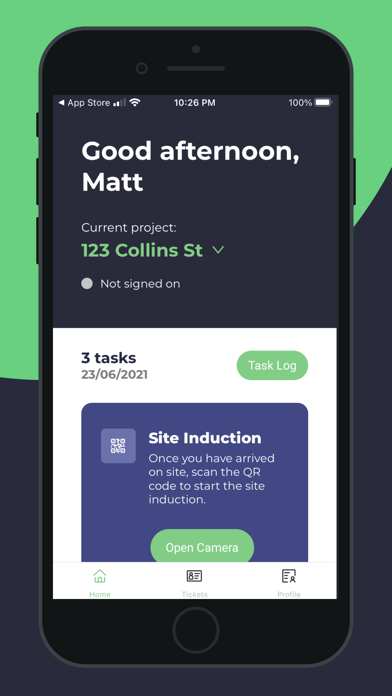
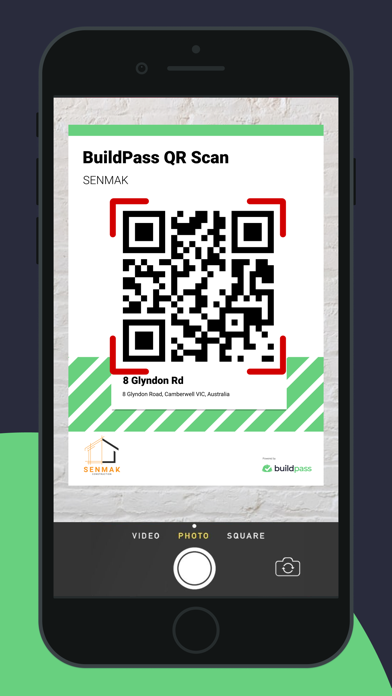
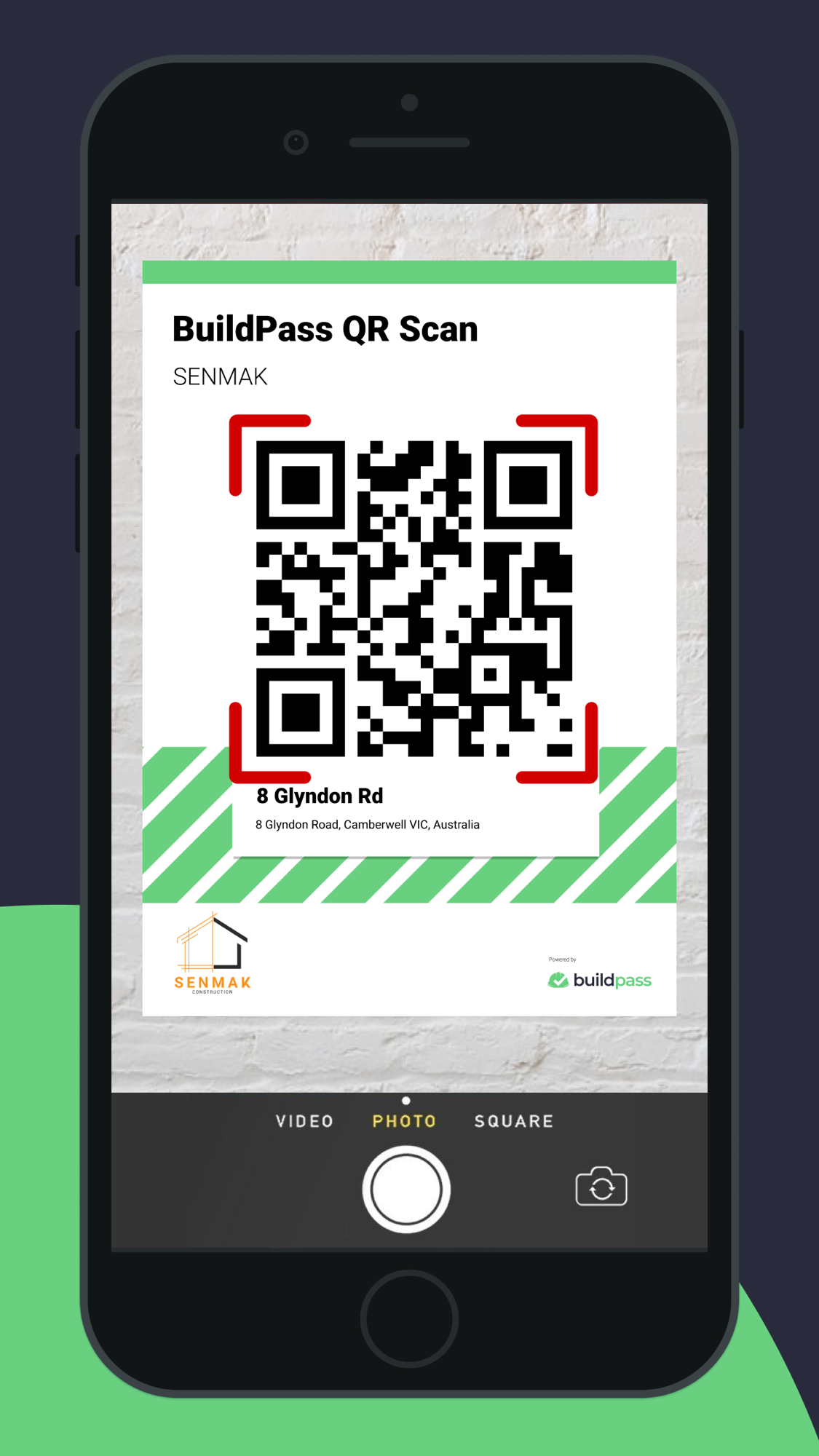
- Input methods: a free worker app that anyone can download even if their head contractor is not yet on BuildPass; QR-code site sign-on; geofenced attendance; AI voice dictation for defects; photographing a handwritten note to type it into the field (“Scan Notes”); voice/text “beautify” to tidy rough notes.
- Onboarding / ease: the worker-free model lowers the adoption barrier (only admins pay), and AU-based support is well rated. The product is purpose-built for the local WHS regime, which users value.
- Friction (from reviews): a real learning curve given the breadth of modules; recurring difficulty getting subcontractors to create logins and adopt the system; no offline mode (needs connectivity); requests for better photo/album organisation.
The management side — what the office sees
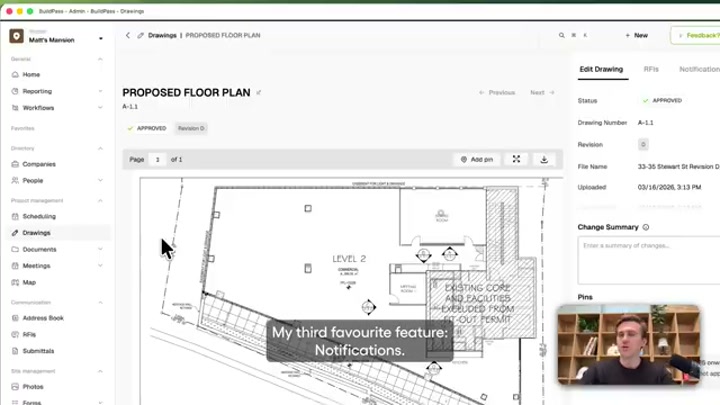
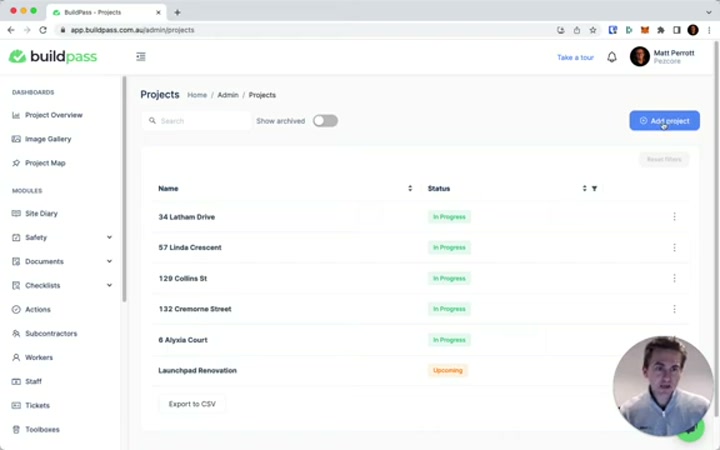
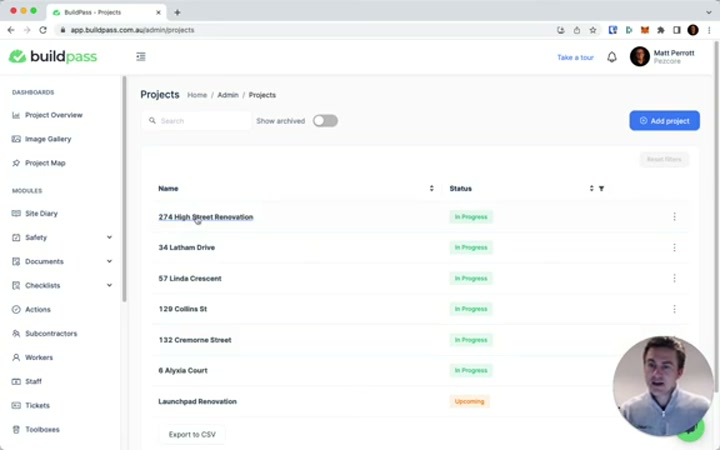
- Lands in the web admin: a project system of record with left-nav modules — Site Diary, Safety, Documents, Checklists, Actions, Subcontractors, Workers, Staff, Tickets, Toolboxes, Drawings (with revision tracking and change summaries), RFIs, Submittals, Scheduling (Gantt), Meetings, Project Map, Image Gallery, Prequalifications, Client Portal, Workflows.
- Who consumes: site managers and project managers (compliance status, who is signed on/inducted, open actions and defects), safety/HSR leads (incidents, inspections, expiring tickets and insurances), and the head contractor’s office (cross-project visibility, subcontractor documentation).
- Valued most: consolidation — one app replacing several systems for safety, sign-ins and site documentation; the compliance audit trail.
- Pains: breadth brings setup time; subcontractor adoption is the standing complaint; reporting/analytics are operational, not commercial.
- Structural gap (evidenced): the admin is an operational and compliance record — who is on site, what was done, what is unsafe, what changed on a drawing. It has no commercial or margin view: no variation register, no claim or entitlement pipeline, no cost-recovery workflow, no register of missing or at-risk evidence. “BuildPass Finance” is announced but not shipped, and even as described it is cost/finance plumbing, not money recovery. The office can see how the work and the compliance are going, not how the money is moving or being recovered.
Where the value actually comes from
| Sales story (what wins the trial) | Real source of stickiness (what makes it hard to leave) |
|---|---|
| One AI-powered app that kills paper safety/compliance admin and gets every worker signed on and inducted | The compliance record of record for the site — inductions, tickets, SWMS, incidents — plus the subcontractor network already onboarded, and the finance-ERP connectors the office now relies on |
- Do not attack: the safety/compliance capture experience, the free-worker onboarding network, the AU WHS fit, and the shipped admin-automation AI — this is BuildPass’s strong, defensible ground.
- Where value stops: BuildPass converts site activity into a compliance and operational record, and (announced) into finance plumbing. It does not convert that record into recovered money — structured variations, delay/disruption evidence, entitlement narratives, quantified claims — and there is no commercial dashboard or claim pipeline. That boundary is precisely our interest, and it is the same boundary every other tool in the set stops at.
What users say — both sides
Credibility first — read everything below as early-stage signal, not a settled verdict. BuildPass is a young Australian startup (launched late 2021, ~400 customers). Third-party reception is thin and scattered: the App Store carries 0 ratings on the US app and 1 on the AU app; Capterra AU shows roughly 4.7/5 from about 9-45 reviews depending on the source and date (small sample, likely partly solicited). There is no large organic review corpus to segment, so quote the averages loosely and lean on the consistency of the themes, not the numbers.
| Praised | Criticised |
|---|---|
| AI-generated SWMS “dramatically cuts documentation time” (the most-cited win) | Cost seen as steep for sole traders / very small teams |
| Consolidating safety, sign-ins and site docs into one app | Learning curve from the breadth of modules |
| Free worker/subcontractor access; only admins pay | Getting subcontractors to create logins and adopt is the recurring pain |
| AU-based, responsive support; purpose-built for local WHS | No offline mode; requests for better photo/album organisation |
- Representative theme: small-to-mid AU builders adopting BuildPass to digitise paper WHS and induction processes, valuing one app and local support; the same firms flag setup effort and subcontractor adoption.
- Signal for us: the praise clusters entirely on safety/compliance and admin time saved — exactly where BuildPass’s AI is pointed. No reviewer is asking it to recover money or quantify a claim, because it does not pretend to. The complaints (cost for small teams, subcontractor adoption) are about reach and breadth, not about a missing commercial layer — which tells us the commercial gap is not yet even in this buyer’s frame, and the up-funnel climb is the vendor’s bet, not the user’s demand.
The opportunity for AI in this space
- AI does not unseat BuildPass’s core — BuildPass is already using it there. The safety/compliance and site-admin layer is document- and form-heavy, and BuildPass has shipped exactly the LLM-shaped automation that fits it (SWMS/JSA and form generation, diary summaries, defect dictation, drawing analysis). Competing on that ground means out-executing a funded, AI-native incumbent on its home turf — no advantage.
- AI can still take the commercial layer BuildPass skips. Variation narratives, delay/disruption claims, entitlement assembly, turning the diaries, drawings-changes, RFIs and photos BuildPass already captures into structured, quantified recovery evidence — these are the document-heavy, generative, adversarial tasks no tool in the set performs, BuildPass included. The barrier is not build cost; it is data access, the commercial/QS buyer, and judgement under an adversarial process.
What we would build (relative to BuildPass specifically):
- Baseline to respect: BuildPass shows the bar for shipped field AI is now high — voice, scan-to-text, form generation, drawing-change detection are table stakes, not differentiators. A money-layer product must assume capture and admin-AI are solved.
- The opening: BuildPass captures the raw material for a claim (diaries, drawing change summaries, RFIs, photos, time-stamped sign-ons) but stops at “here is what changed / here is the record.” The conversion of that into a quantified, recoverable claim is untouched.
- Niche to target first: the commercial/entitlement layer for UK mid-market contractors — a geography BuildPass barely serves (AU/NZ heartland, US the chosen expansion, UK absent) and a buyer (commercial/QS office) it does not sell to.
How open the platform is
- Integrations: named connectors to Procore, Buildxact, Premier and Adaptive (finance/ERP-leaning), with Styck listed as coming soon.
- MCP server (shipped): “BuildPass MCP — use BuildPass from Claude and the other AI tools your team already runs.” This exposes BuildPass to external AI clients via the Model Context Protocol, which is genuinely ahead of the field; but the public pages give no technical detail on which data or actions it exposes (not verified beyond the marketing claim), and no public REST API or developer documentation was found.
- What it means: the MCP surface is, in principle, a door — an external agent could read a project’s BuildPass data through Claude. In practice the door is undocumented, single-vendor, and could be narrowed or gated at will, so it is not a foundation to build a business on (the build-on-top / absorption risk proven by Pype and Trunk Tools applies). For our motion the read is the same as for Raken/Fieldwire: build alongside the open field tools, ingest from several rather than depend on one, and do not become a feature on a single vendor’s MCP.
BuildPass’s own AI — claims, shipping, and how far they can go
BuildPass has shipped more real, useful AI than almost any field tool in the set, and is openly building toward agents — but the shipped substance is admin/field automation, and the genuinely agentic, up-funnel pieces are announced, not in users’ hands. This is the talk-versus-ship line that matters for our read.
| Feature | What it does | Layer | Status |
|---|---|---|---|
| AI SWMS / JSA generation | Generates safe-work-method statements / job-safety analyses | Safety | Shipped (the most-praised feature) |
| Template Generator / Assistant | Upload a PDF/sheet/photo → a working form/checklist back in ~a minute; edit in plain language | Build | Shipped |
| Submittal Template Import | Turns a submittal document into a structured package grouped by trade | Build | Shipped |
| Voice Defects | Dictate a defect; AI fills title, location, priority, due date | Capture/QA | Shipped |
| Scan Notes / Text Beautify | Photograph a handwritten note into a field; tidy/shorten/translate rough text | Capture | Shipped |
| Drawing AI Analysis / Change Summary | Reads number/title/revision off a title block; tells what changed between two revisions | Set-up/Docs | Shipped |
| Location Import | Builds levels/units/locations from a floor plan | Set-up | Shipped |
| Weekly / Toolbox / Document Summary; Image Tagging; Certification Extraction; Insurance Date Verification | Diary-to-PDF summaries, toolbox write-ups, one-line doc summaries, photo tagging, cert/insurance extraction | Report | Shipped (insurance verification “on request”) |
| BuildPass MCP | Use BuildPass from Claude and other AI tools | Platform | Shipped (marketing claim; no public technical detail) |
| BuildPass Agent | ”A chat built into BuildPass” | Platform | Shipped (chat) |
| BuildPass Agents (agentic) | Autonomous workflow agents (e.g. “request a site diary → agent gathers data across BuildPass → real-time analysis → draft for review”) | Platform | Announced only — “currently under construction and will be available very soon” |
| BuildPass Finance | A cost/finance module | Commercial | Coming soon — not shipped |
| BuildPass Preconstruction | A pre-construction module | Pre-con | Coming soon — not shipped |
- Where it reaches: every shipped AI feature lives in the safety/compliance, capture, document and reporting layers. The agentic example BuildPass itself gives is a site diary assembled from its own data — field-knowledge and admin automation.
- Where it stops (the key answer): no shipped or announced AI feature touches cost recovery, variations, change-order quantification, delay/disruption, claims or entitlement. The drawing change-summary and RFI tools sit at the doorway to a variation but do not assemble cause, cost and time into a claim. BuildPass stops before claim quantification (area 15) — confirmed. Its up-funnel move is toward Finance and Preconstruction (cost/estimating-adjacent), not toward money recovery, and both are unreleased.
- Talk-versus-ship gap: narrower than most incumbents on admin AI (it ships) but real on the agentic/commercial frontier — the autonomous Agents, Finance and Preconstruction are slideware/“coming soon,” and the MCP is a claim without public detail. So the genuinely differentiating, up-funnel pieces are announced, not held by users.
- Confidence BuildPass reaches genuine claim quantification (area 15) within ~2 years: low-to-moderate, about 1 in 3. It is the most likely field tool in the set to try (AI-native, well-backed by construction-savvy investors, explicitly climbing up-funnel, MCP already in place). But its roadmap points at Finance/Preconstruction, not recovery; its buyer is the site/safety office, not the commercial/QS office a claims product needs; and its geography (AU/NZ + US) does not overlap the UK mid-market where the entitlement pain is sharpest. The main risk to this read is that a single funded sprint plus the MCP plumbing lets it bolt a claims agent on faster than a slower incumbent could.
Who actually uses BuildPass
No large review corpus exists to segment precisely; the following is from vendor positioning and the thin third-party data, and should be read as indicative.
- Firm size: self-employed through 500+ employees, with the practical sweet spot at ~5-50 staff running multiple sites; the worker-free pricing is built to pull whole subcontractor chains onto the platform around a paying head contractor.
- Role / buyer: the head contractor’s office and safety/compliance lead buy the admin seats; workers and subcontractors use the free app.
- Industry / geography: general building and the trades (builders, electricians, plumbers), heartland Australia and New Zealand, with the US the funded expansion target; UK presence not evident.
- Switched from: paper and spreadsheet WHS/induction processes, and point safety apps — BuildPass wins by digitising a paper-and-Excel compliance contractor, much as Raken does on daily reports.
Our read — can we enter and win?
Yes, and BuildPass strengthens rather than threatens the case — but it changes the framing from “is the up-funnel motion viable?” to “who reaches the money first, and where?” BuildPass is the proof-of-concept for our own motion: a field-capture tool, AI-native, with agentic plumbing (MCP into Claude) already shipped, openly climbing up-funnel. That it exists, is funded by people who have sold construction software at scale, and is moving in this direction validates the thesis that the capture layer becomes the on-ramp to higher-value commercial work. Crucially, it still stops before claim quantification: its shipped AI is admin/field automation, and its declared up-funnel destinations are Finance and Preconstruction, not money recovery. So it is a template that proves the road, not yet an occupant of our wedge. We should not rebuild BuildPass — out-executing a funded AI-native incumbent on safety/compliance capture is a losing fight. We flank into the money it does not reach (variations, delay/disruption, entitlement, quantified claims), for the commercial/QS buyer it does not sell to, in the UK mid-market it does not serve.
| Question | Our read |
|---|---|
| Where is BuildPass strong and off-limits? | Safety/compliance capture, free-worker onboarding network, AU/NZ WHS fit, and shipped admin-automation AI |
| Where is the verified gap? | Turning the captured record into recovered money — variations, delay/disruption, entitlement, quantified claims — plus any commercial/margin view; cost (Finance) is only announced |
| How hard for BuildPass to follow us? | Moderate, and the most plausible follower in the field set: AI-native, well-funded, MCP already in place. But its roadmap, buyer and geography all point away from claims recovery |
| How much can cheap AI do here? | A great deal — the commercial/claims layer is document-heavy, generative and adversarial; BuildPass already captures the raw evidence |
| Is there a cheap, narrow way in that grows? | Yes. An AI layer that reads field/commercial evidence (from BuildPass-class tools and others) and drafts/quantifies claim evidence, expanding into cross-firm historical-cost benchmarking |
| What would make us walk away? | BuildPass (or a better-distributed peer) shipping genuine claim quantification or cross-firm cost benchmarking before we establish our data loop — its MCP plus one funded sprint is the realistic path, so this is the closest watch in the set |
| Overall | The closest analog to our motion; a template that validates the wedge, not yet an occupant. Flank into the money, in a geography and for a buyer it does not serve, and watch it more closely than any other field tool |
The app itself — ratings and reception
| Store | Rating | Ratings count | Version |
|---|---|---|---|
| App Store (US listing) | — | 0 | 1.57.0 |
| App Store (AU app) | 1.0 | 1 | 1.57.0 |
| Capterra AU | ~4.7 | ~9-45 (varies by source) | — (thin, early-stage) |
The near-absent App Store footprint is expected: BuildPass’s app is the free worker-facing sign-on tool, while the paying product and the office value live in the web admin, which the store never shows. The reception is too thin to weight heavily — this is a young company, and the brief’s strategic read rests on the product surface and AI pages, not on the ratings.
Screenshots
Grouped by theme, full-size, scrollable. Images render in Obsidian and exported HTML through embeds (referenced, not copied). Full set and gathering method: screens/README. Two whole-set contact sheets are linked at the end.
The worker app — sign-on, inductions, ticket wallet
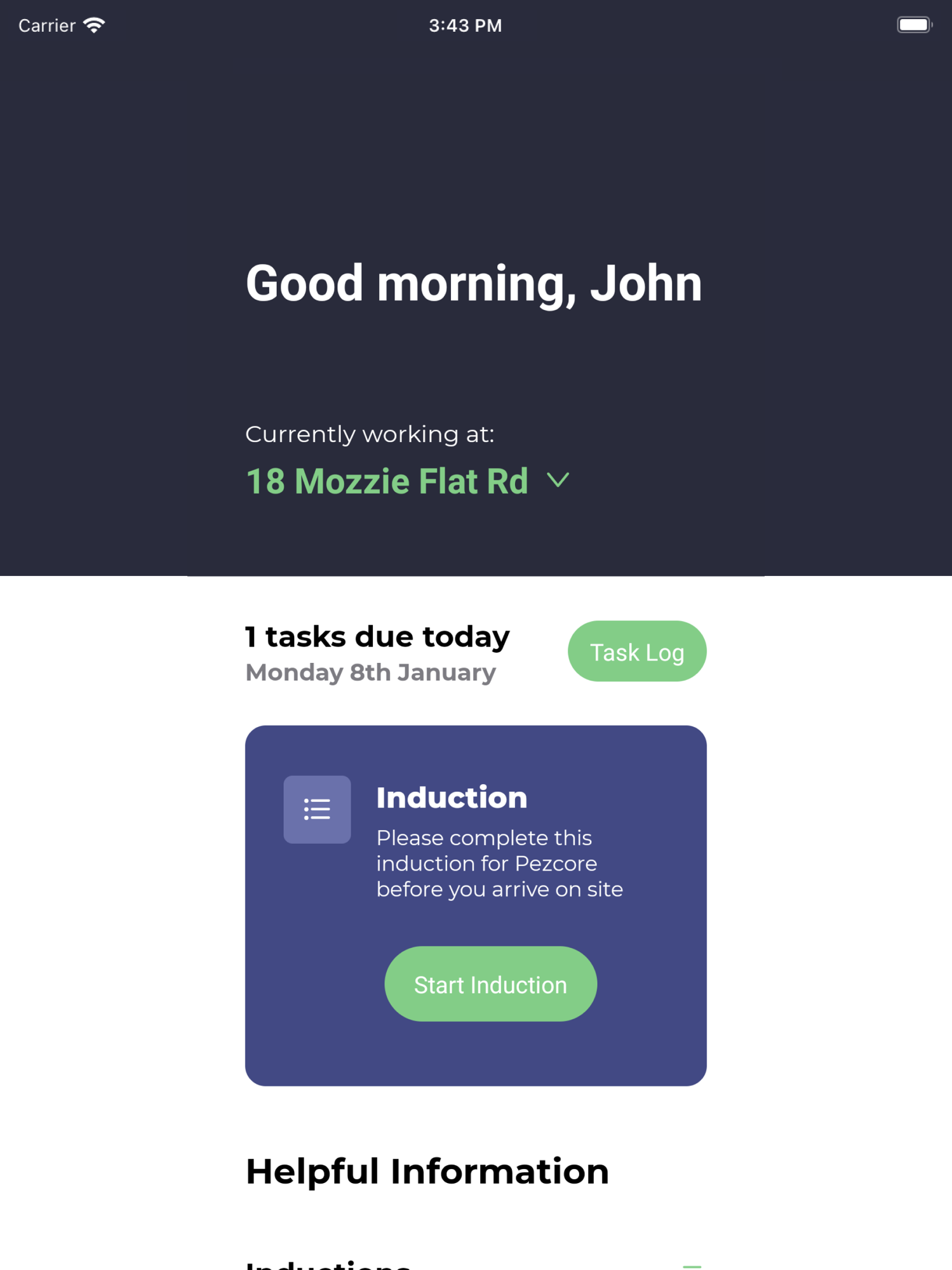
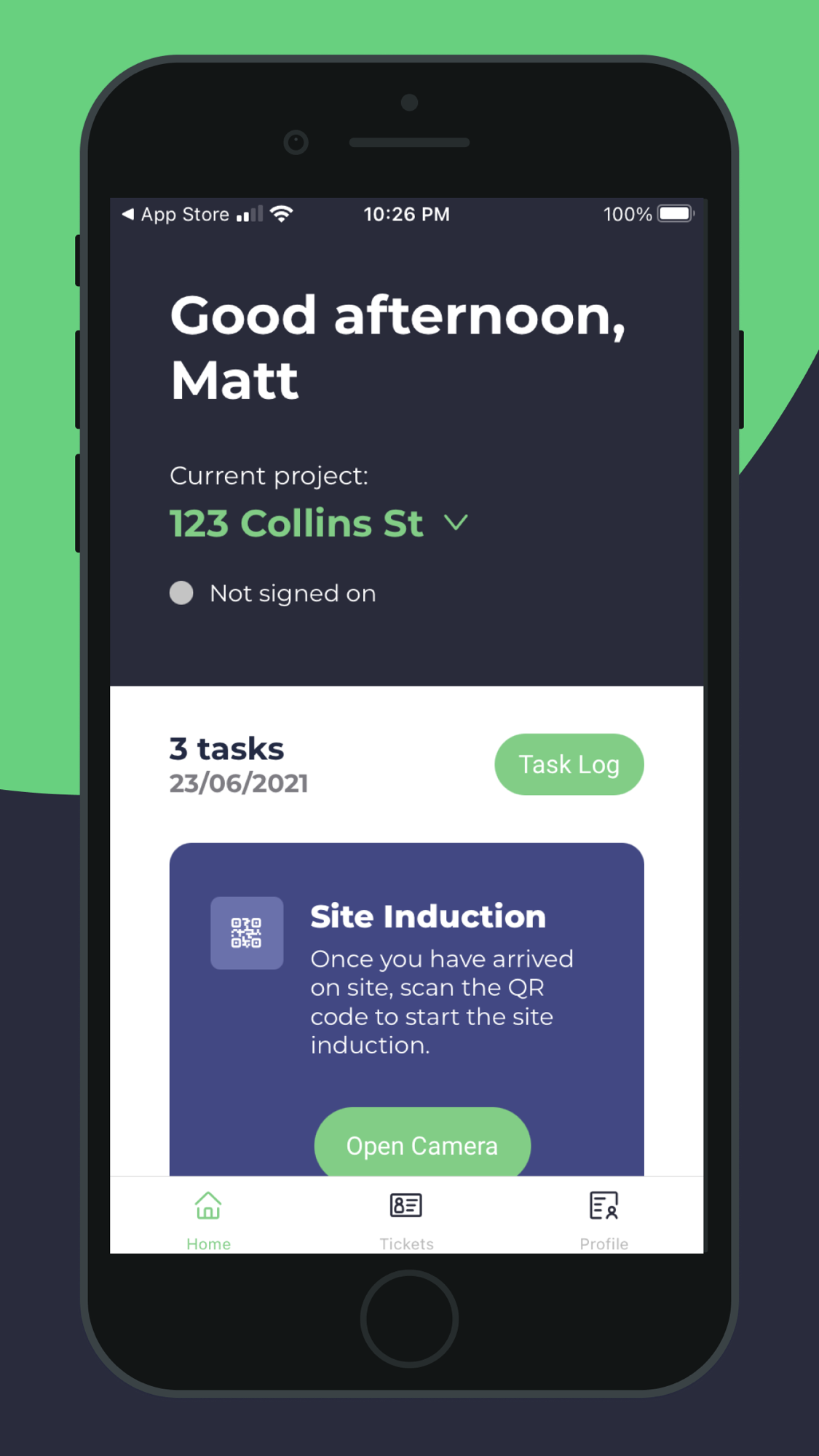
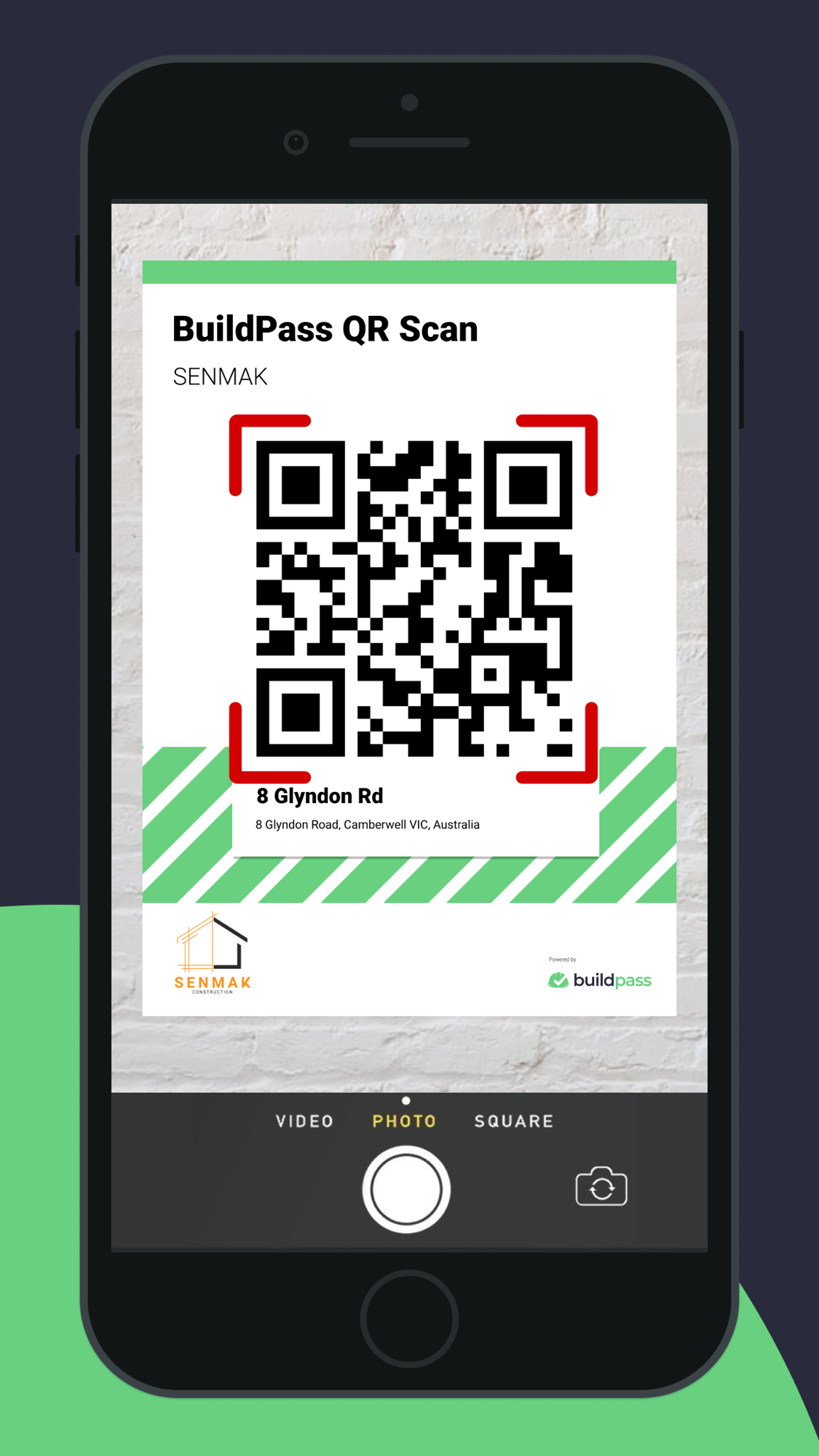
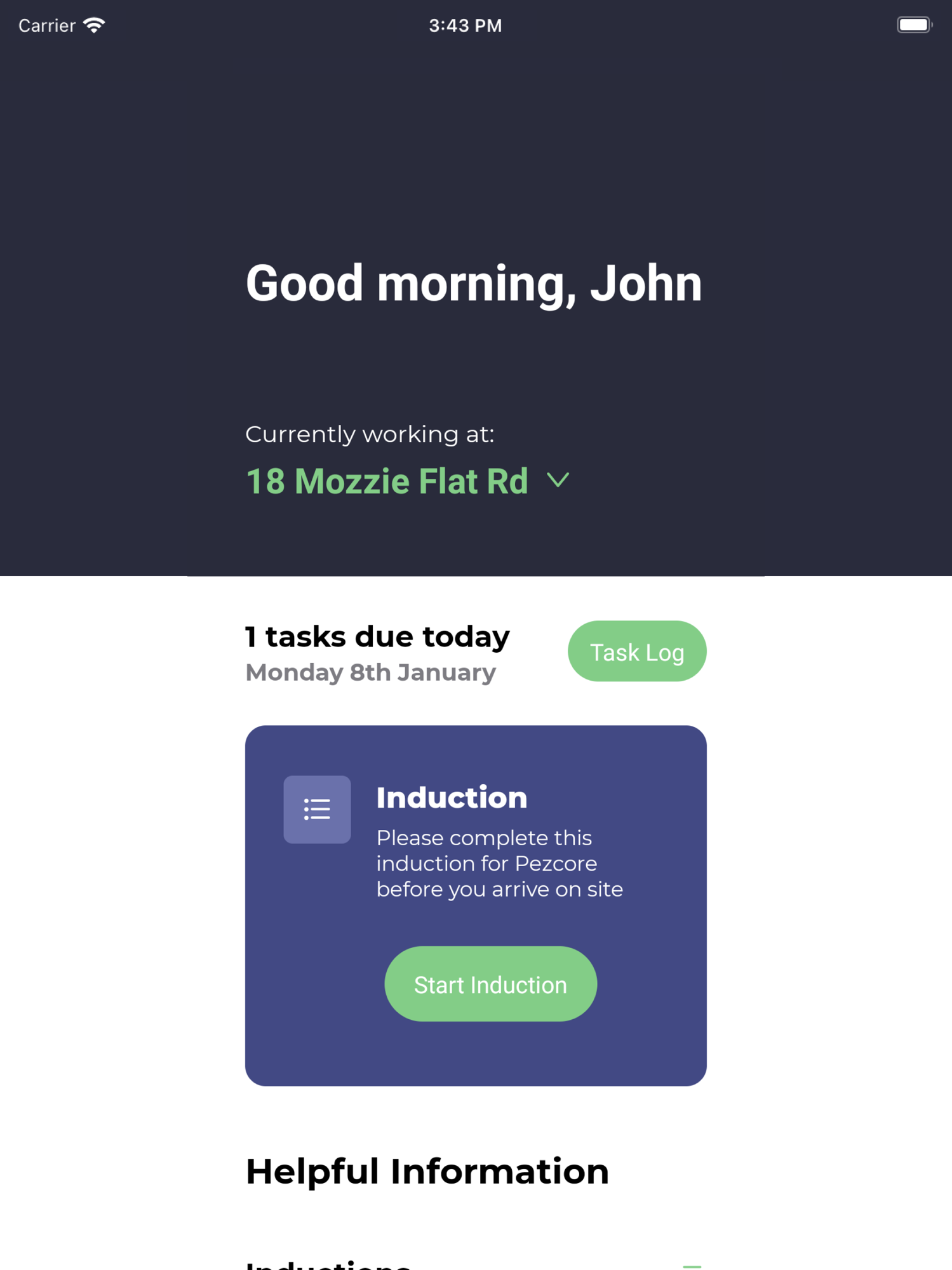
The free worker-facing side the App Store shows: the home screen with the day’s induction and tasks for the current site; the phone “ticket wallet” holding AU compliance cards (WorkSafe White Card, Working With Children Check); and QR-code site sign-on.
The office web admin — the module map
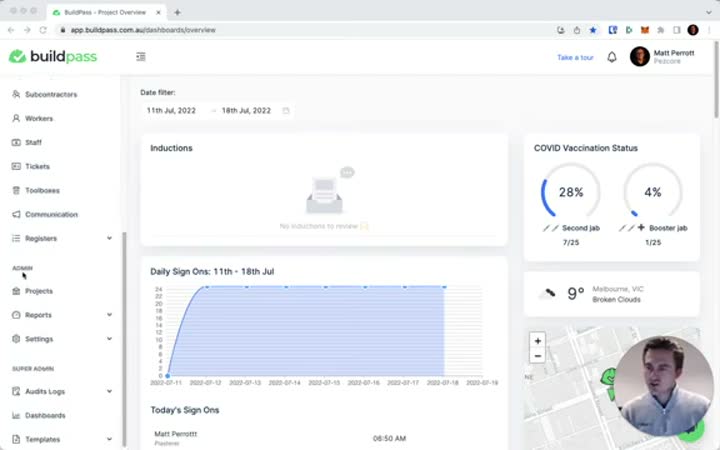
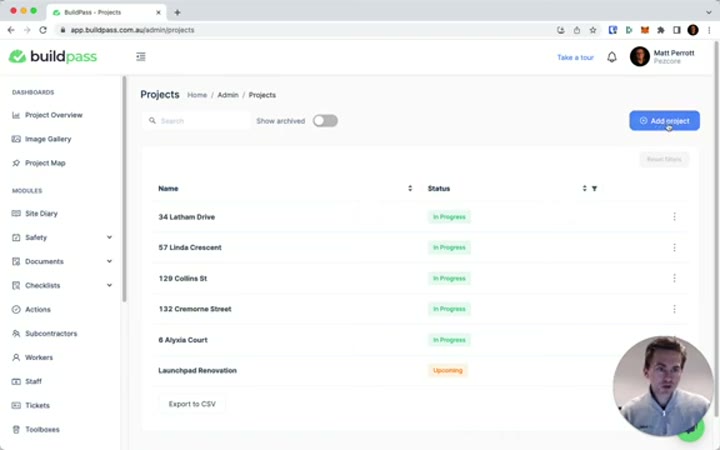
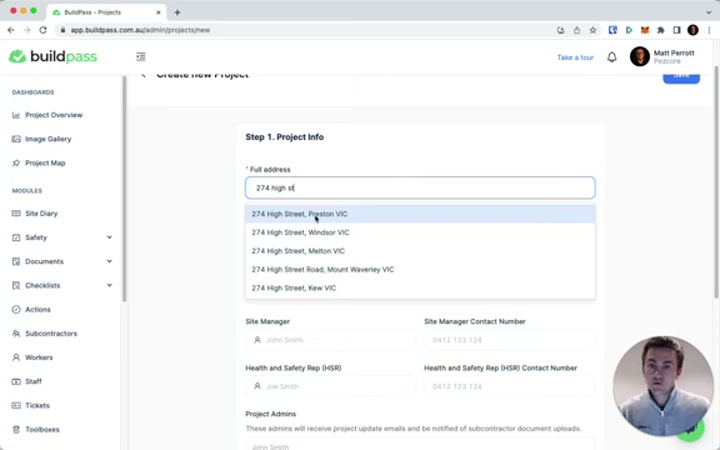
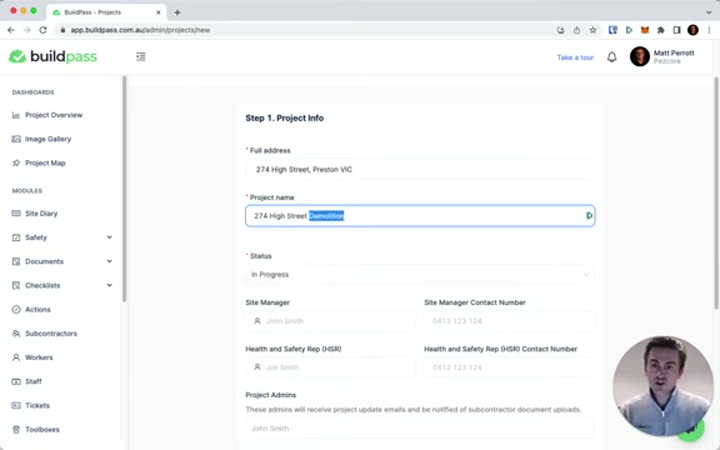
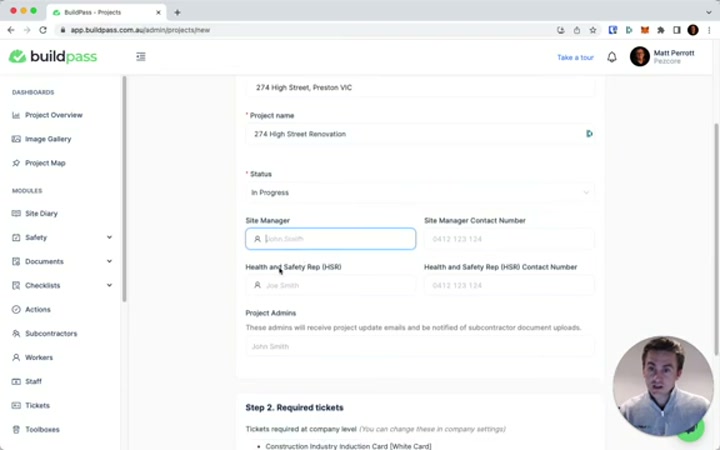
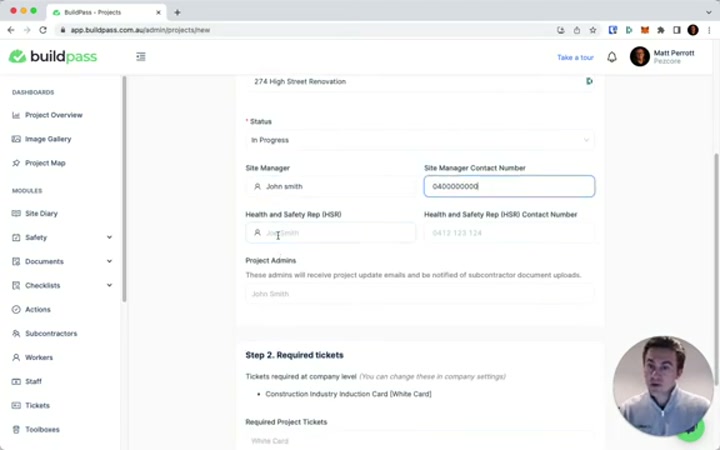
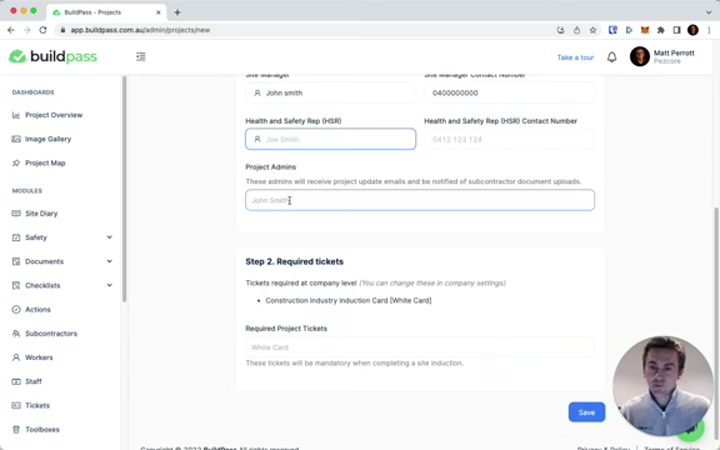
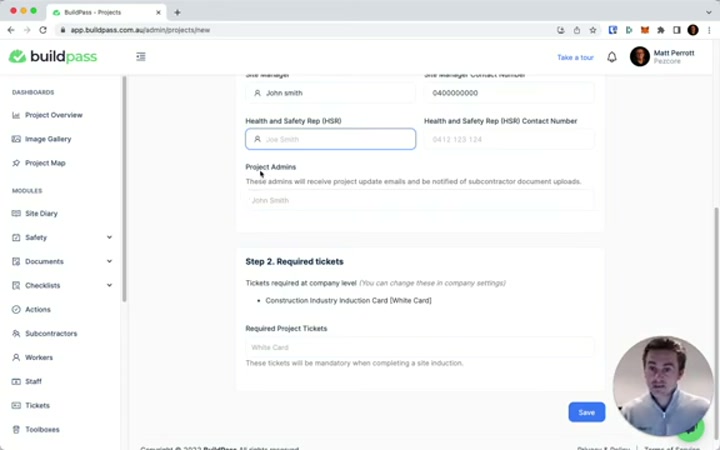
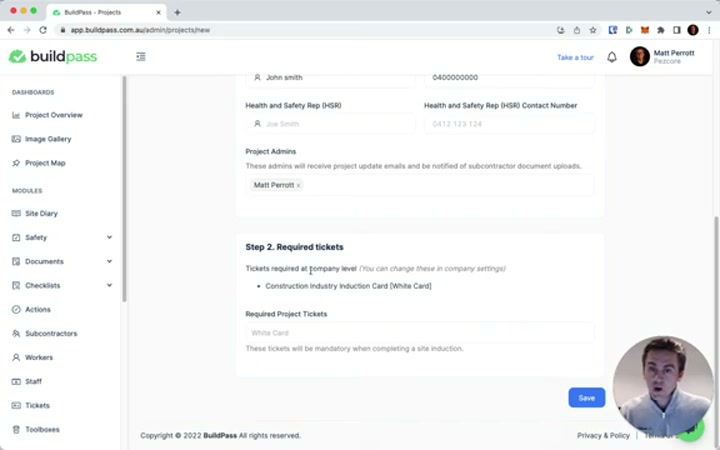
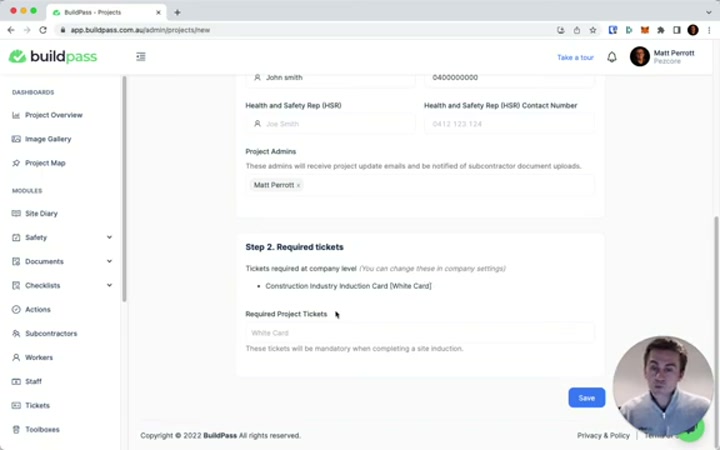
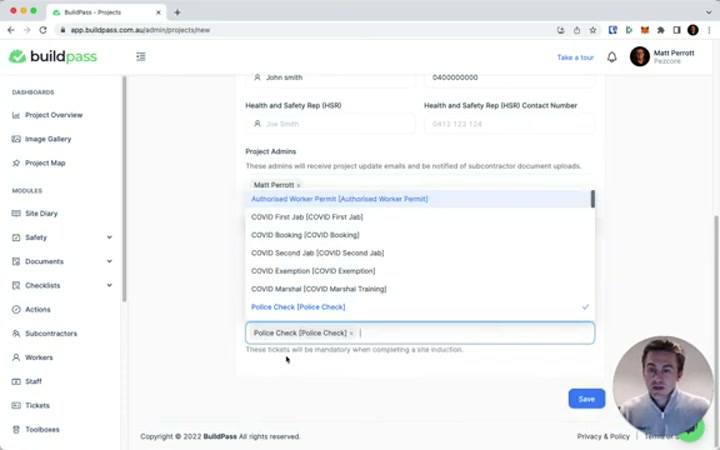
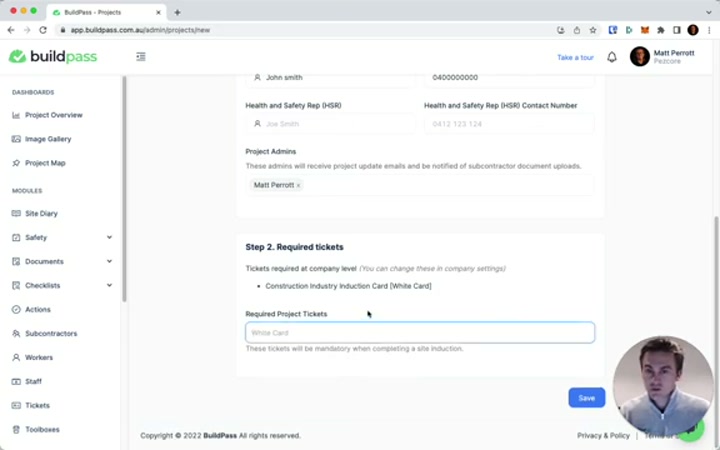
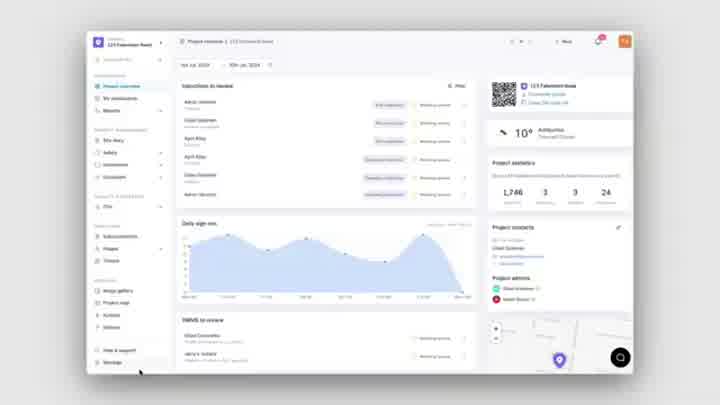
The web admin the office consumes, which carries the paying value. The left navigation lists the whole platform — Site Diary, Safety, Documents, Checklists, Actions, Subcontractors, Workers, Staff, Tickets, Toolboxes — and the project setup wires required inductions and tickets to a project.
Drawings, revisions and RFIs
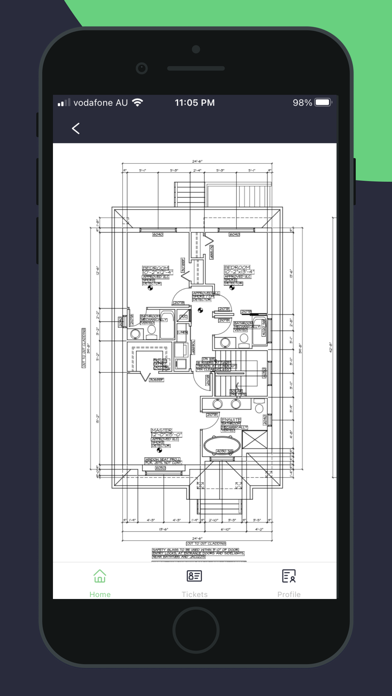
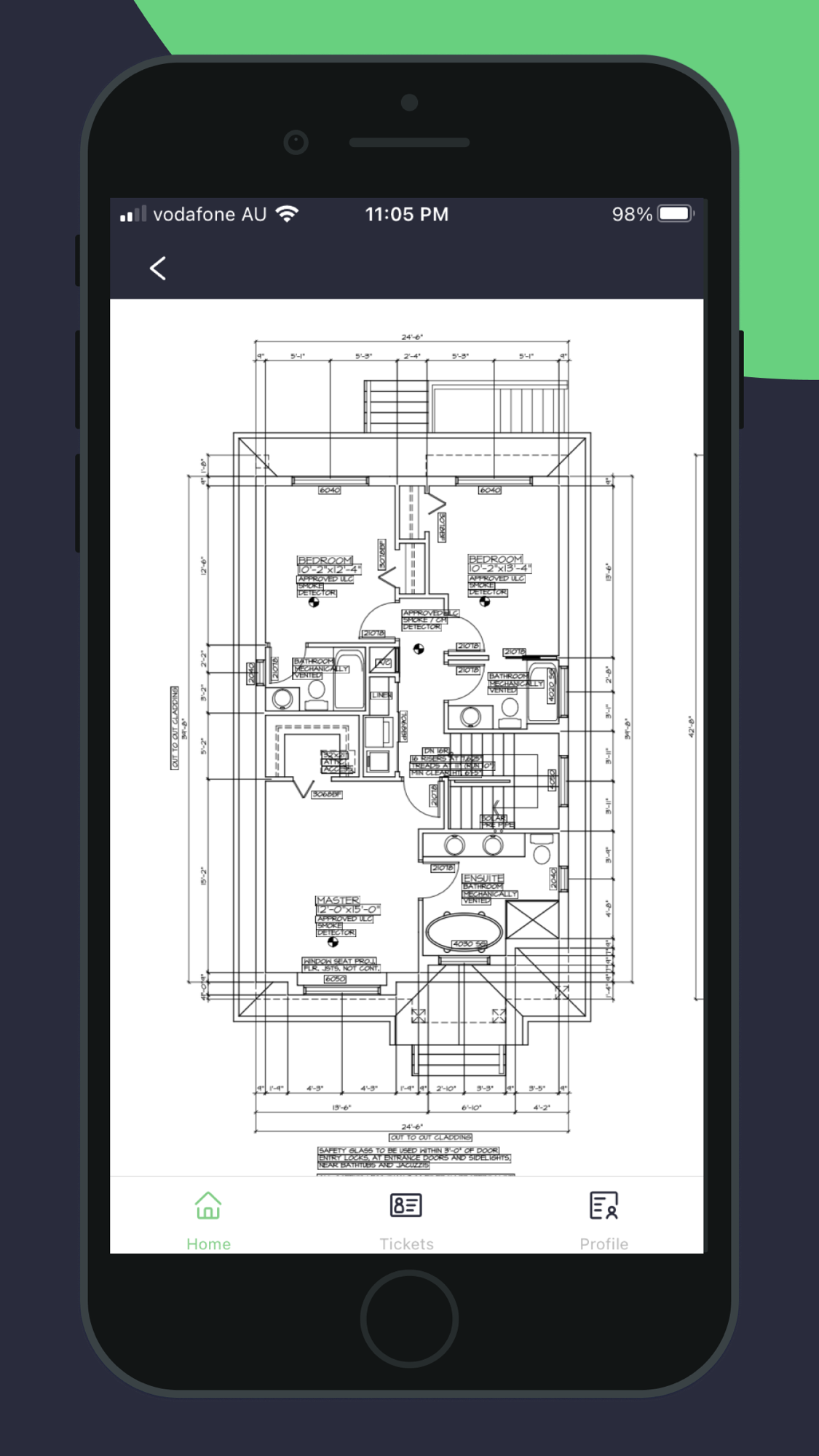
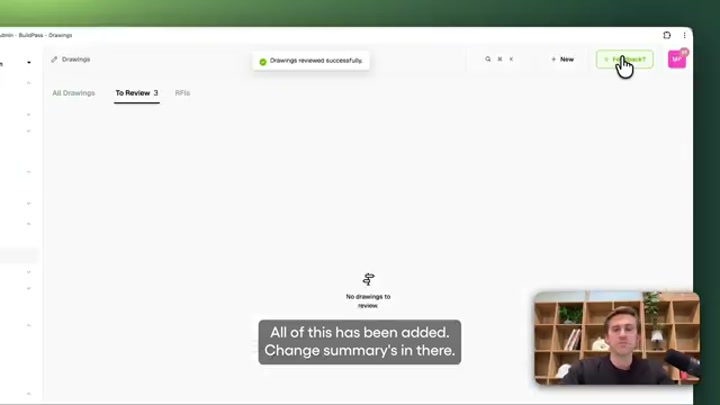
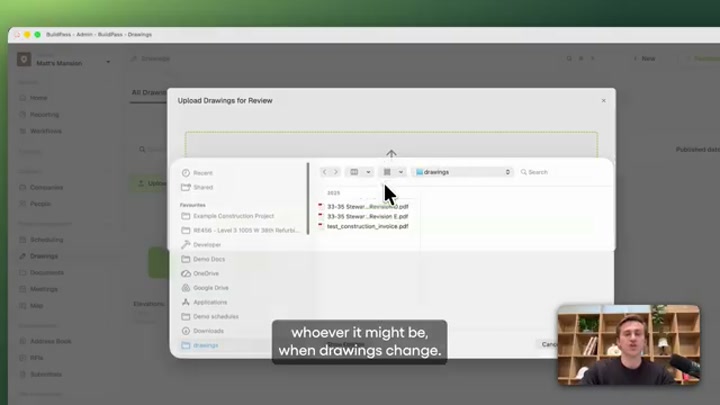
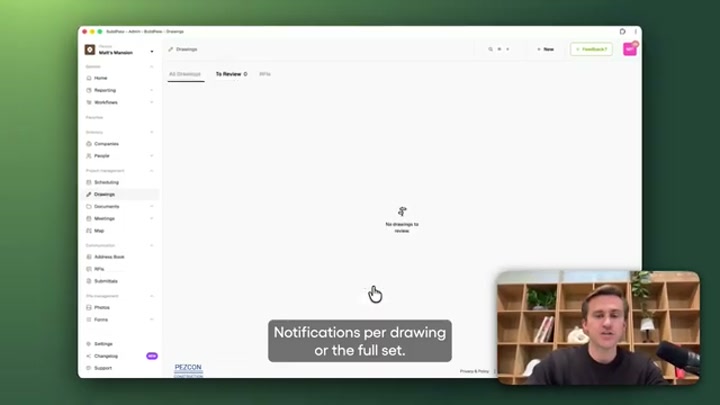
The drawings module with approved/revision status, pins, a change-summary field and an RFIs tab — the document-control surface where the shipped Drawing AI Analysis and Change Summary features sit.
Scheduling — the Gantt
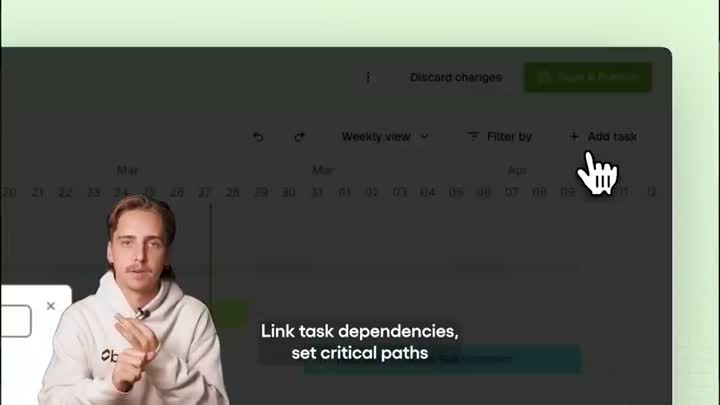
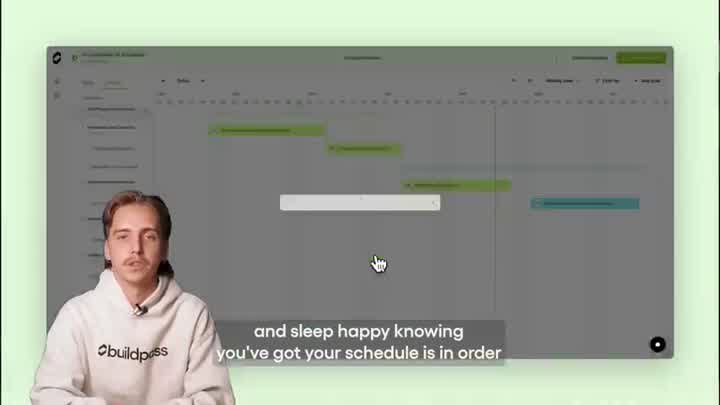
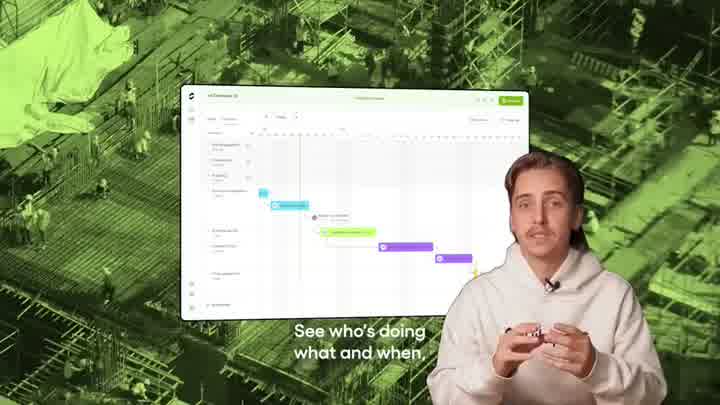
A real programme view: weekly Gantt, “link task dependencies, set critical paths,” add-task and filter controls.
What it is — the pitch in the field
Frames from the overview video: the product positioned as taking site admin off the builder’s plate.
Whole-set contact sheets
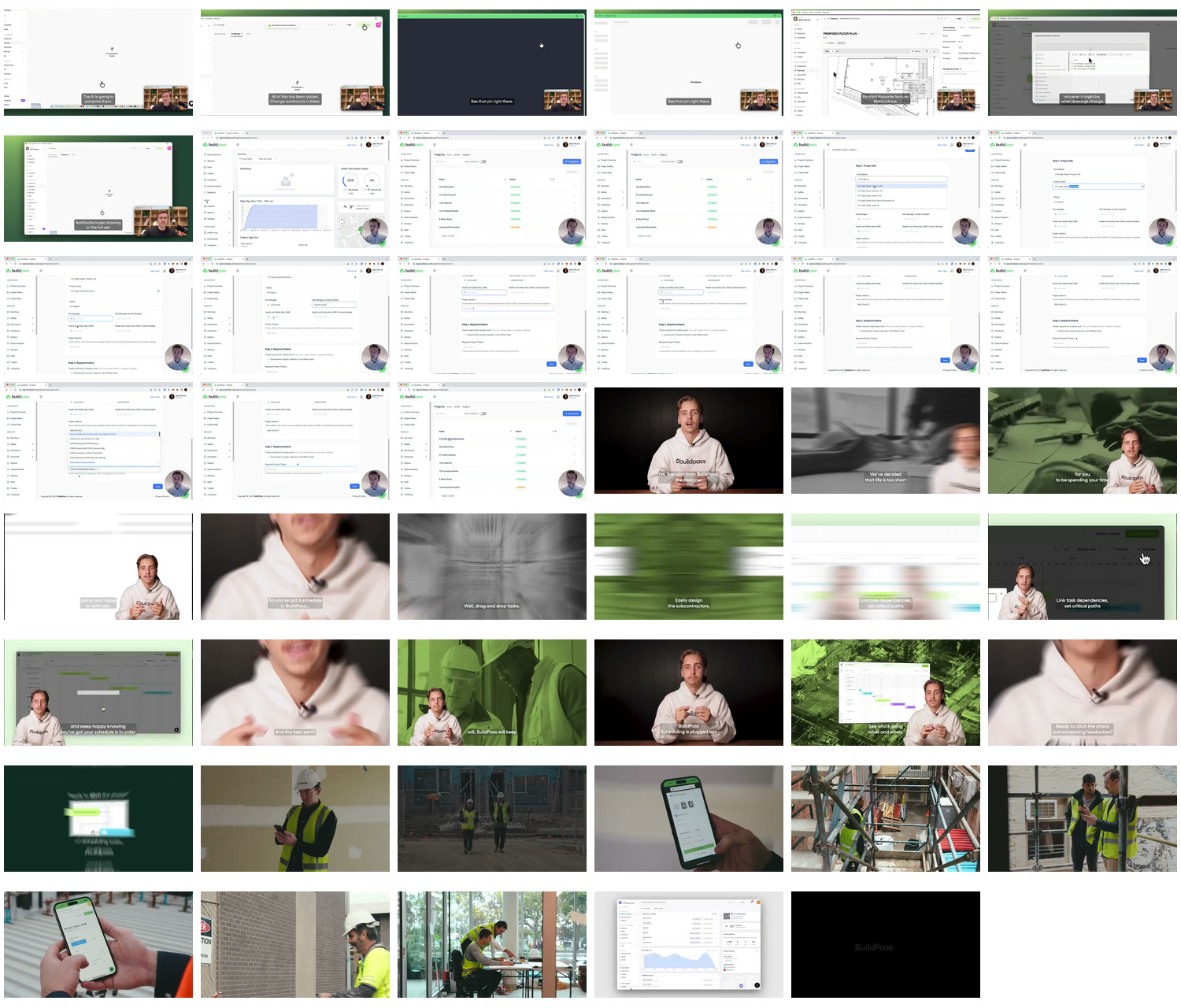
For a single-glance overview: contact_appstore.jpg (all App Store screens) and contact_video.jpg (all walkthrough-video frames).
Sources and method
- Product surface / modules / pricing / openness: vendor site read directly —
buildpass.aihome,/features/ai-toolkit,/blog/buildpass-agents,/us/plans,/us/integrations; corroborated by exa —raw/exa_answer.json,raw/exa_search.json. - AI claims and the shipped-vs-announced split: the AI Toolkit and BuildPass Agents pages (above), tagged shipped/announced/coming-soon in the AI table.
- Funding: A$7.5M seed led by Carthona Capital (2024), via press — iTWire, Business News Australia, Startup Daily, Built In Melbourne.
- Reception (early-stage, thin): Capterra AU and a third-party tradie review (servicescale.com.au) for ratings, pros/cons and published AU pricing; App Store data —
raw/appstore_app_us.json,raw/appstore_app_gb.json(0 / 1 ratings). - Visuals: 5 hi-res App Store screens (
screens/appstore_hires/) and 47 walkthrough frames across four videos (screens/video_frames/); contact sheets inscreens/. No Capterra DOM corpus was scraped (no meaningful footprint — Stage 0 skipped by design). - Method, limits, and the discipline of not asserting an absence without evidence: _RESEARCH-METHOD.